);)


EMI is generated from high-voltage equipment and appliances, especially the types that contain motors, like your fridge, vacuum cleaner, air conditioner, and poorly shielded LED light controllers. The most common source is when low-voltage cables (like AV leads) are run parallel to 240V household power - just a few metres side-by-side can cause issues.
The longer your cables and the less well-shielded your equipment is, the more it may affect your image quality, audio fidelity or signal stability. It may present as a low hum from your speakers, or a pop, drop or flicker in audio or video. It can be intermittent, like when a fridge compressor kicks on, or a constant annoyance.
Anything appliance or device that uses or transforms a lot of power will generate EMI, and in the right circumstances it can get into your AV cables to make your screen go black for a second or cause audio issues.
RFI is generated by telecommunications equipment like mobile phones, Bluetooth transmitters, Wi-Fi routers and smart home hubs. Microwaves are also a source, but modern units tend to be shielded well enough to not cause issues. Ham radios that can broadcast are a source, but receiving radios that 'listen' to commercial stations are not.
Long, unshielded cables can function as antennas, capturing these high frequencies and introducing errors into the data stream. You might hear a high-pitched whine or crackling in your audio, or even see intermittent black screens in digital video signals. Yes, a heavy file download over Wi-Fi could interrupt your HDMI signal if the devices and cables are positioned just right!
If you’re really unlucky, you could hear outside voices or music amplified through a musical instrument as the copper conductors work like an aerial and then boost the outside signal along with your played notes.
Ground Loop Interference doesn’t come into your cables from the environment; it is created by having multiple routes to ground on a single circuit. A ground loop can both generate EMI and act as an antenna to receive it, complicating matters further. Ground loops happen when devices are linked together both directly and via the in-wall power wiring, thus sharing multiple paths to ground – an RCA cable between an AV receiver and a powered subwoofer is a good example as the RCA cable has its own ground conductor and both devices take mains power.
Ground Loop hum in Australia is typically a 50Hz drone you’ll hear from a subwoofer or other powered speaker. If your headphones hum or buzz when connected to a computer, that can also be ground loop, but not always. The best fix is to have all your AV gear run from the same high-quality power strip (more on these later).
Wherever possible, separate signal cables from power cables. A 5cm gap is the minimum advisable for parallel runs 3m and over. For sensitive AV gear, a 30cm separation is recommended to improve fidelity and reliability even further. Cables can cross paths with each other as necessary (at right angles is best), but side-by-side can be a problem.
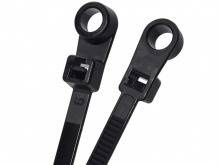
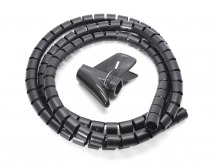
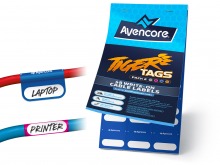
Tidy up that rat’s nest of cables behind your TV cabinet or computer desk, and run power and data cables with as large a gap in between as is practical. Some cable ties, loom and write-on labels would make it all even neater if you want to spend a little money. Using the shortest cables possible can also help avoid having too much coiled up slack causing problems, too.
Remove unnecessary or dodgy devices from around your AV or computer gear. Cheap or poorly made phone chargers, LED lighting controllers and other power transformers (power packs for appliances) can be causing issues if they are near sensitive hardware or sharing the power outlet.
Likewise with Wi-Fi routers or boosters, Bluetooth receivers and other modern-day gadgets that get info wirelessly should be moved away from AV cables and devices. Better still, move them to a different power outlet entirely and give both sets of gear some breathing room. If you can, swap to wired Ethernet for data and avoid Wi-Fi altogether.
Can’t move things easily? Unplug one device at a time and see if there’s an improvement. Once you know what device is the culprit, you can focus on finding just one device a new home where it doesn’t cause problems.
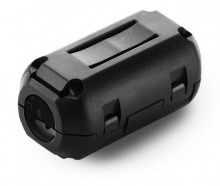
Also known as: Ferrite Beads, Ferrite Clips, Ferrite Cores
Adding one to your power cables, HDMI leads, USB cables and audio interconnects can cut RFI out of your life. Ferrite beads ‘choke’ high frequency noise out of the actual signal, restoring power and data to their original structure.

Looping the cable is much more effective.
We stock three sizes, and you can always loop thin cables twice through a larger clip for even better effect. Place it as close to the receiving device as possible (or both ends for bi-directional leads) – if you put it before the RFI comes in, it won’t do much!
Ferrite clips require no modification of the cable itself, so you don’t need to cut into the PVC jacket or solder a plug. You don't even need to disconnect the cable in some cases. Just thread the cable through, loop it if you can, and snap it shut. You can move or remove it at any time. If it wants to slide around, a spot of Blu Tack or tape can hold it in place. Just be careful not to put undue strain on your ports and sockets!
Some data cables already have ferrite beads integrated into the cable, and you don’t need to double up - just install the cable with the choke near the monitor or peripheral. Not sure if you should use a ferrite choke? It's OK, they’re 100% safe to use on standard computer and home theatre cables. If you happen to install a ferrite choke on the wrong type of AV cable, it won't cause any permanent harm, and you can always remove it.
Shielded CAT6 is common now, and some RG6 coaxial cables boast hefty shielding. Likewise, USB, HDMI and similar modern standards also incorporate some level of shielding in order to pass minimum specifications and quality assurance.
However, cables both old and new can also be retrofitted with DIY shielding. It’s not as performant or aesthetic as built-in shielding, but professional braided copper mesh loom and foil tape are available to shield any cable. We don't stock these options, so you may need to speak to a commercial electrical wholesaler or retailer.
Be warned; a layer of metal does nothing if it isn’t connected to ground. You need to trouble yourself with a drain wire; one end of the over-shield must connect to the grounded chassis of your hardware (e.g. home theatre receiver’s metal case) or another dedicated ground terminal. The juice may not be worth the squeeze unless you know for sure a cable needs extra shielding to work.
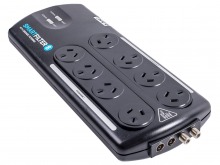
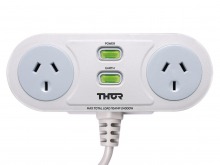
We stock some THOR products. THOR Technologies is Australia’s leading brand of high-end surge protecting power boards with proper power filtering. They shield your equipment from bad power coming in from the wall, and big units like their 8-socket Smartfilter model provide isolation between the banks to prevent crosstalk coming back down the power cables of noise-generating devices.
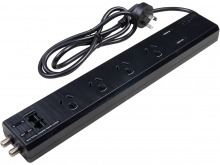
In combination with Ferrite clips and cable separation, you’ve got a very powerful ally in the fight against dirty signals. A good filtering power board (whether from THOR or another brand) will kill Ground Loop and Conducted EMI for the gear plugged into it, and ferrite beads will handle the interference coming in from outside sources.
THOR also produce even heavier-duty power conditioning solutions. While we don’t stock their entire catalogue, it could be worth a visit to their site if you have mission-critical AV equipment fighting against established electrical infrastructure.
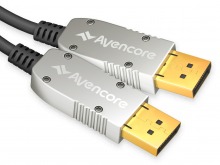
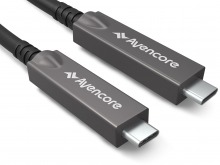
Purely Optical cables like TOSLINK are completely unaffected by EMI, RFI and Ground Loop Interference, so they don't contribute to the problems we've discussed or benefit from ferrite beads and separation. Active Optical / Hybrid Fibre cables are similarly protected, but not totally immune.
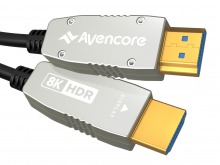
Active Optical solutions for HDMI, DisplayPort and USB convert the big, important data bandwidth to an optical signal. This means the bulk audio/video signal will be much more reliable in environments where long copper cables degrade. However, other parts of the signal may be carried via electrical conductors - things like audio return channels, DDC, CEC and 5V power must remain electrical, so these things could be affected but it won't be as noticeable as the main video link dropping out. A ferrite choke may help here, but don't loop it - tight bends will break the optical fibres inside.
Identifying the source of your interference may be difficult. It can come from GPU coil whine and annoy you with buzzing during gaming sessions. It could float in from a neighbour’s amateur radio to meld with your electronic keyboard or come from an unintentional electrical loop through your buzzing subwoofer. Pops, clicks, humming and black screen drop-outs can be a fleeting annoyance, or they could warrant a systematic break-down of your home theatre or computer room to squash them.
A ferrite bead and some cable management won’t be a magic bullet for every situation, but they are cost effective first steps before splurging on a new power board. And it’s heaps cheaper than getting a sparky in to diagnose the problem for you.
If you’re struggling with EMI, RFI or Ground Loop interference and our guide hasn’t helped, please Contact us!